Typst documents, written by your agent
Your agent writes.
Typst sets the page.
LeftBlank Office gives Claude Code, Codex and claude.ai a place to write Typst documents. The agent edits the source, compiles it, looks at the pages and shares a link. Nothing to install.
Remote MCP · Typst 0.15.1 · Passkey sign-in · Open source
One line
Add one URL. Sign in once.
The server speaks MCP over HTTP. Your client opens a browser the first time; you sign in with a passkey, and the agent has its tools.
Claude Code
In a terminal, then run /mcp in Claude Code to sign in:
claude mcp add --transport http leftblank https://office.leftblank.app/mcpEverything an agent needs to set itself up — every client, the token fallback, the tool list — is in agents.md.
Codex CLI
Add the server, then sign in:
codex mcp add leftblank --url https://office.leftblank.app/mcp
codex mcp login leftblank
claude.ai
Settings → Connectors → Add custom connector, and paste:
https://office.leftblank.app/mcpAnything else
Any MCP client with Streamable HTTP and OAuth works. Clients that only send headers can use a personal token from Settings.
Authorization: Bearer lbo_…
What it makes
One page, five kinds of work.
Each picture below is a real page, compiled from a Typst source in the repository. Ask for something like it.
Papers
Leave the argument to you, the layout to Typst.
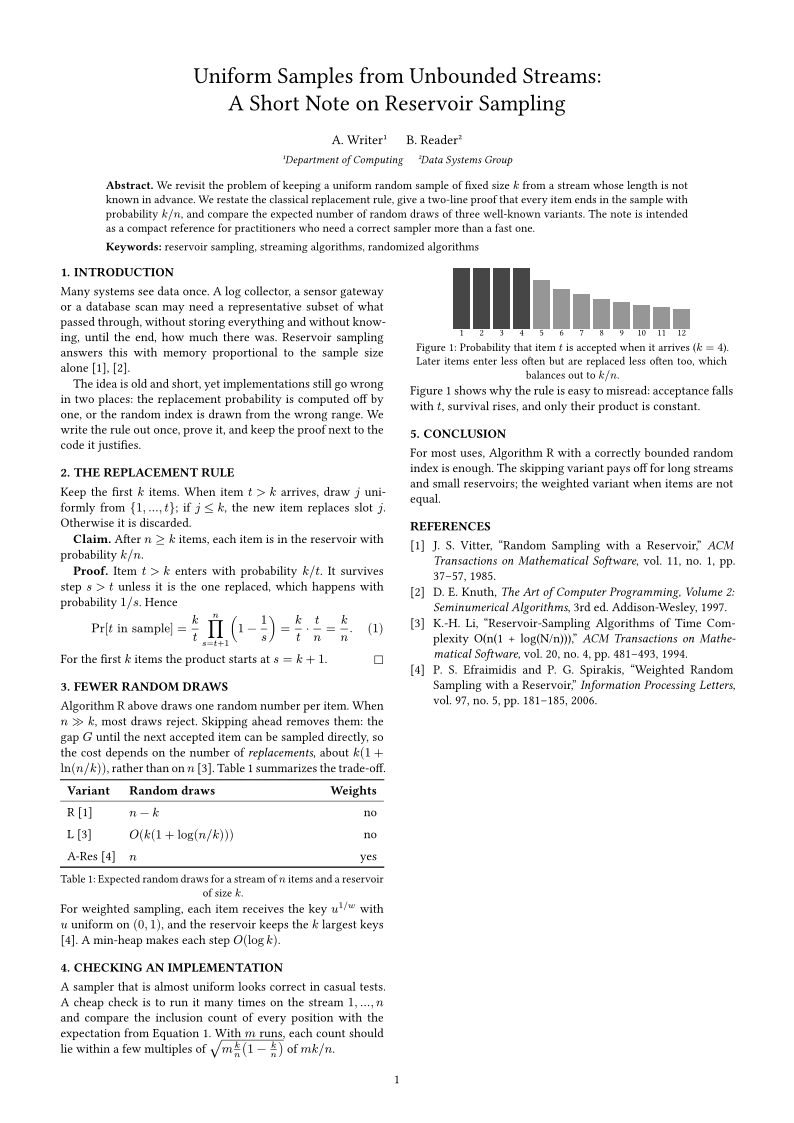
Two columns, numbered equations, a three-line table and a bibliography from a .bib file.
See how →Slides
A talk, in sixteen by nine.
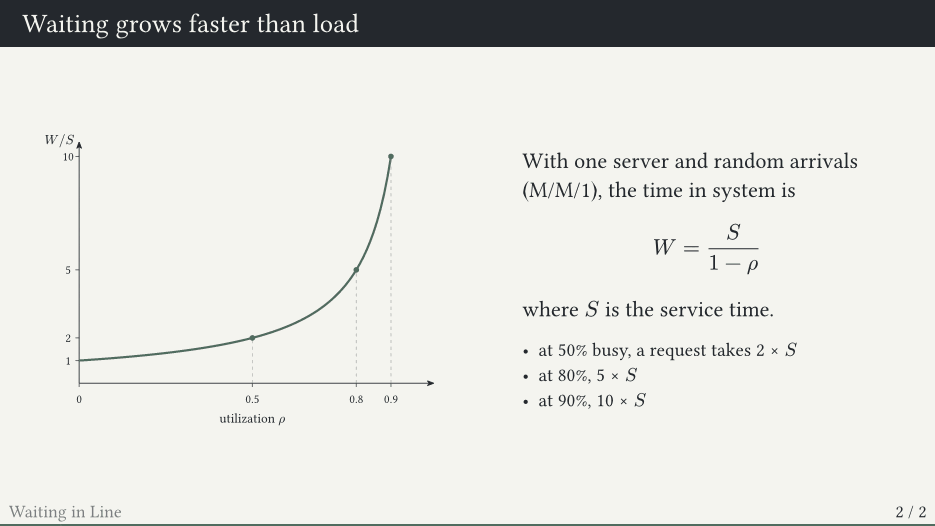
touying themes, CeTZ charts and real math, one slide at a time.
See how →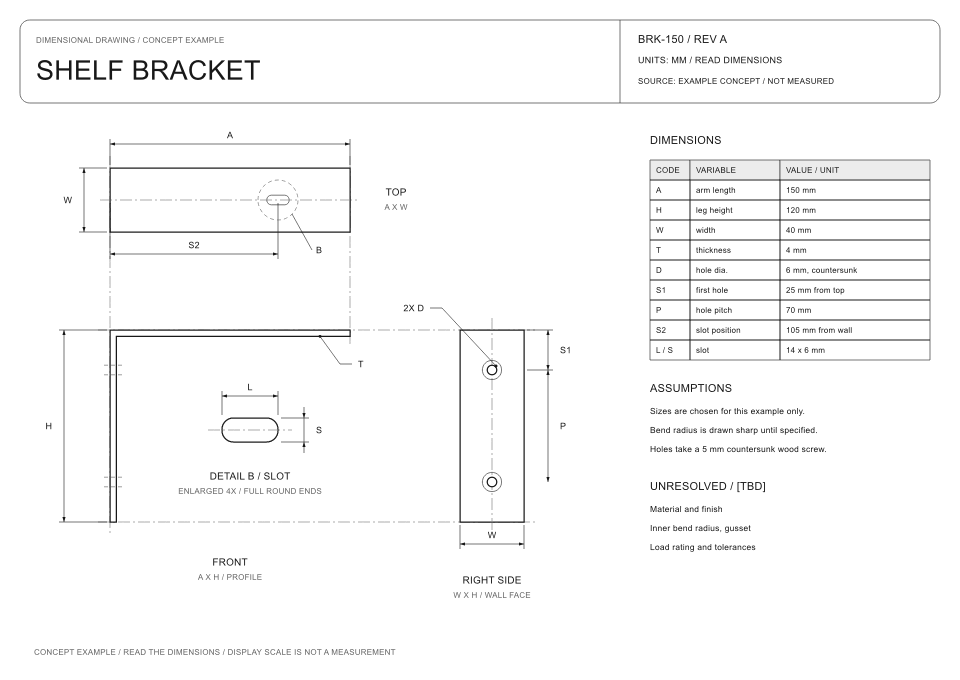
Drawings
Every line from one spec.
Aligned views, dimension codes and a table that agree with each other.
See how →Math
Show the work, line by line.
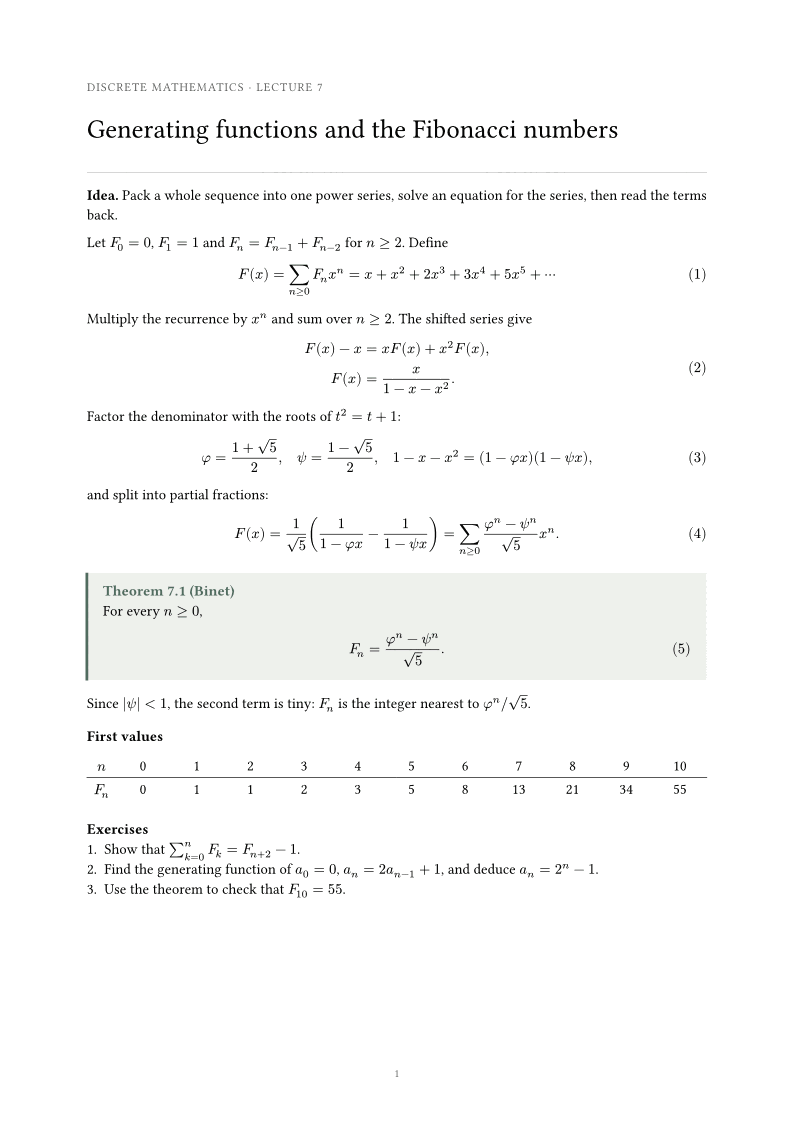
Aligned derivations, numbered equations and a theorem box.
See how →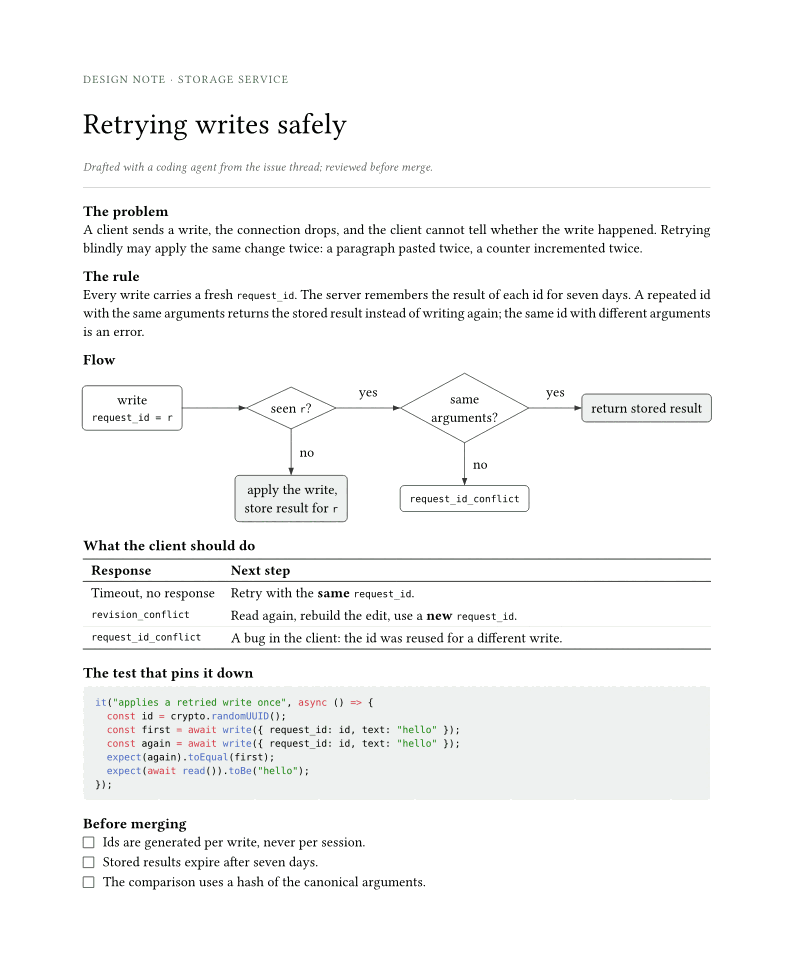
AI writing
An agent that looks at the page.
Design notes, reports and memos, with diagrams and code.
See how →
How it works
Connect, ask, share the page.
Connect
Add the server to your agent and sign in with a passkey. Your documents stay in your account.
Ask
Describe the document. The agent writes Typst, compiles it, renders the pages and fixes what it sees, using the same tools as the desktop app.
Share the page
Ask for a link. share_document publishes a read-only page with a PDF download; unshare_document takes it back.
Also on your Mac
Prefer to keep the files?
LeftBlank is a free Typst editor for Mac with the same agent tools, the same Typst release, and live preview while you write. A prompt that works here works there.
LeftBlank for Mac ↗Open source
Read how it works.
One Cloudflare Worker, a Typst container, and nothing that calls a model. The code and the examples on this site are MIT-licensed.
leftblank-web on GitHub ↗Start here
Leave the typesetting to the page.
claude mcp add --transport http leftblank https://office.leftblank.app/mcp